> For the complete documentation index, see [llms.txt](https://docs.tenten.co/docs-webflow/llms.txt). Markdown versions of documentation pages are available by appending `.md` to page URLs; this page is available as [Markdown](https://docs.tenten.co/docs-webflow/webflow-101/changelog/2024/zai-cms-shang-xia-wen-zhong-jian-li-component-12092024.md).
# 在 CMS 上下文中建立 Component (12-09-2024)
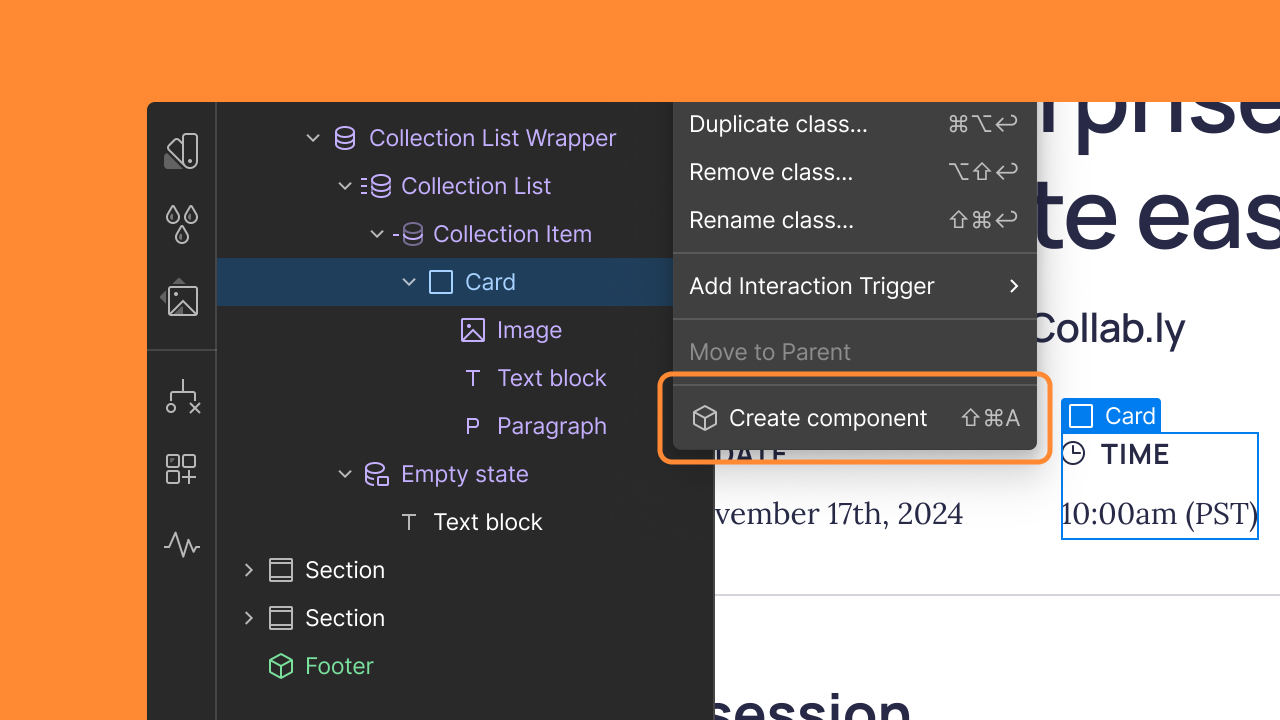
連接到 CMS 集合的元素現在可以轉換為 Component。
我們致力於不斷改進客戶在 Webflow 上使用可擴展設計系統進行建置的方式,並且我們很高興分享團隊如何利用 Component 的[另一個擴充功能。](https://webflow.com/updates/component-style-variants-now-available)
現在您可以從 CMS 上下文中的元素建立Component,例如集合清單或集合頁面。連接到 CMS 欄位的任何元素設定(如文字、圖像和連結)都會自動轉換為道具,使您的設計可立即重複使用,無需任何額外設定。
首先,選擇一個元素,然後點擊右側面板或「Component」面板頂部的「建立Component」圖示。[在幫助中心了解有關管理組件的更多資訊](https://help.webflow.com/hc/en-us/articles/33961303934611-Components-overview)。
---
# Agent Instructions
This documentation is published with GitBook. GitBook is the documentation platform designed so that both humans and AI agents can read, navigate, and reason over technical content effectively. Learn more at gitbook.com.
## Querying This Documentation
If you need additional information that is not directly available in this page, you can query the documentation by asking a question.
Perform an HTTP GET request on the following URL with the `ask` and `goal` query parameters:
```
GET https://docs.tenten.co/docs-webflow/webflow-101/changelog/2024/zai-cms-shang-xia-wen-zhong-jian-li-component-12092024.md?ask=&goal=
```
`ask` is the immediate question: it should be specific, self-contained, and written in natural language.
`goal` is what the user is ultimately trying to achieve, the reason they need the answer. Sharing it helps GitBook give you a better, more relevant answer. A goal is most helpful when it describes the outcome the user wants rather than restating the question. For example, with `ask=how do I create an API token`, a goal like `automate deployments from our CI pipeline` lets GitBook tailor the answer to that use case.
The response will contain a direct answer to the question and relevant excerpts and sources from the documentation.
Use this mechanism when the answer is not explicitly present in the current page, you need clarification or additional context, or you want to retrieve related documentation sections.