> For the complete documentation index, see [llms.txt](https://docs.tenten.co/docs-webflow/llms.txt). Markdown versions of documentation pages are available by appending `.md` to page URLs; this page is available as [Markdown](https://docs.tenten.co/docs-webflow/webflow-101/changelog/2024/shi-yong-webflow-de-ai-zhu-li-kuai-su-chan-sheng-huo-xiu-gai-ren-he-wen-zi-nei-rong-12042024.md).
# 使用Webflow的AI助理快速產生或修改任何文字內容 (12-04-2024)
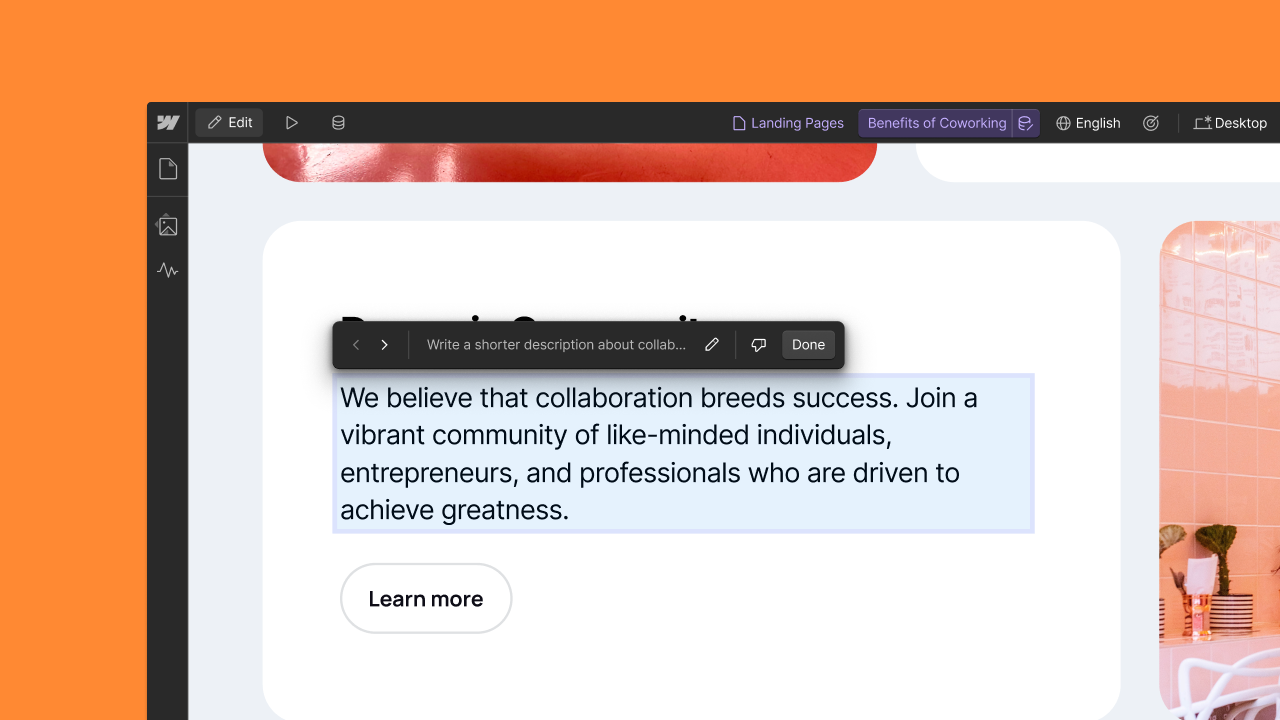
借助新的 AI 助理功能,增強首次內容創建能力,使設計人員和內容編輯人員只需單擊即可生成和修改文字。
今天,我們發布了對人工智慧驅動的首輪內容生成的重大改進。 Webflow 上的設計師和內容編輯者現在可以利用 AI Assistant 直接在畫布上快速產生和修改文字元素。從今天起,您可以:
* **為 CMS 欄位和靜態文字產生內容:**透過選擇元素並點擊 AI ✨ 圖示或使用上下文選單命令,使用 AI 產生的內容填入空白 CMS 文字欄位和靜態文字元素。
* **修改現有內容:**增強或重新產生現有 CMS 欄位、靜態文字元素和突出顯示的富文本的文字。
Webflow 的 AI 助理利用您網站的上下文(例如 CMS 欄位資料和頁面文字)為您的內容產生三種不同的變體,供您選擇。從起草部落格文章到建立由 CMS 驅動的登陸頁面,這些新的 AI 功能使您能夠快速創建更高保真度的首次通過內容。
[Webflow 的 AI 助理](https://webflow.com/ai)現已適用於所有付費工作空間和網站計畫。有關功能、數據隱私政策和註冊設置的更多詳細信息,請訪問我們的[幫助中心](https://help.webflow.com/hc/en-us/articles/34297897805715-Webflow-AI-Assistant-overview)。
---
# Agent Instructions
This documentation is published with GitBook. GitBook is the documentation platform designed so that both humans and AI agents can read, navigate, and reason over technical content effectively. Learn more at gitbook.com.
## Querying This Documentation
If you need additional information that is not directly available in this page, you can query the documentation by asking a question.
Perform an HTTP GET request on the following URL with the `ask` and `goal` query parameters:
```
GET https://docs.tenten.co/docs-webflow/webflow-101/changelog/2024/shi-yong-webflow-de-ai-zhu-li-kuai-su-chan-sheng-huo-xiu-gai-ren-he-wen-zi-nei-rong-12042024.md?ask=&goal=
```
`ask` is the immediate question: it should be specific, self-contained, and written in natural language.
`goal` is what the user is ultimately trying to achieve, the reason they need the answer. Sharing it helps GitBook give you a better, more relevant answer. A goal is most helpful when it describes the outcome the user wants rather than restating the question. For example, with `ask=how do I create an API token`, a goal like `automate deployments from our CI pipeline` lets GitBook tailor the answer to that use case.
The response will contain a direct answer to the question and relevant excerpts and sources from the documentation.
Use this mechanism when the answer is not explicitly present in the current page, you need clarification or additional context, or you want to retrieve related documentation sections.